
Mastering Bexel Manager: 3D BIM, 4D, 5D & Digital Project Management
BEXEL Manager is a powerful BIM-based project management software that integrates 3D BIM, 4D scheduling, and 5D cost management to help construction professionals plan, coordinate, monitor, and control projects more efficiently.
FREE

/CourseBundles(76290)/12856836-bexel-og-compressed.png?Expires=1816768582&Signature=Du3gp2J92snGAiC7pGqdxH~9eyZ9i0jgHhHhcuTk8IXjc6kU~cjehauZNHqzrhYpdGwdrA7EaNjGZCBKBKfTUrgRJnyOy3KKGKFa8ffCHz3PHKuTbjFbfPCfwvDHHUQx-oUupir2qUoSxHuRKvaNTQje55V9Tqht0eRBi28hvgRwLq99FFXpyJZGhaai~4e1xS3s4RN~XJUKHVXYXYAyMCwVIhSopkEyMHZS2RY6fAQO~gTxOzA6rzWf4hF6GIba6jSi7AfnQfoBdA1MYEHZItE7LrbDMdwDLwWJKb~i9g2ZWdrD0e8a8RNz82HKW-sW6vjeerJhDgtmo8sgYbX3Lg__&Key-Pair-Id=APKAIIFZDCEANAVU2VTA)
Mastering Bexel Manager: 3D BIM, 4D, 5D & Digital Project Management
BEXEL Manager is a powerful BIM-based project management software that integrates 3D BIM, 4D scheduling, and 5D cost management to help construction professionals plan, coordinate, monitor, and control projects more efficiently.
Course Overview
Mastering BEXEL Manager: 3D BIM, 4D, 5D & Digital Project Management is a comprehensive, hands-on course designed to equip construction and project management professionals with the skills required to leverage BIM for smarter, more efficient project delivery. The course provides an in-depth understanding of BEXEL Manager and its application across the entire project lifecycle - from model coordination and construction planning to scheduling, cost management, and project monitoring.
Learners will explore how to work with 3D BIM models, integrate 4D time and construction schedules, and apply 5D cost management to create a connected digital project environment. The course also covers construction sequencing, project simulations, quantity take-offs, cost estimation, progress tracking, clash detection, and digital project controls, helping professionals understand how design, time, and cost can be integrated for better decision-making.
Through practical workflows and real-world construction scenarios, participants will develop the ability to use BEXEL Manager to visualise construction activities, identify potential project risks, improve coordination between stakeholders, monitor project progress, and support data-driven project management. By the end of the course, learners will be better equipped to apply BIM-based methodologies to improve project planning, collaboration, cost control, and overall construction performance.
Course Curriculum
5 Subjects
Module 1
9 Learning Materials
Bexel Manager Introduction
Bexel Manager Introduction
Chapter 1 - Intro Bexel Tools and Ecosystem
Chapter 2 - Installing Bexel Manager
Chapter 3 - Help Center, User Area & Training materials
Chapter 4 - Getting Started with Bexel Manager
Chapter 5 - Installing Pre Requisite Plugins
Chapter 6 - Information Exchange using Bexel Manager
Chapter 7 - Introduction to Bexel CDE
Module Summary
Module 2
37 Learning Materials
3D BIM and Data Management
3D BIM and Data Management
Chapter 1
Chapter 1 - Creating New Project
Chapter 2
Chapter 2 - Creating New Project
Chapter 3
Chapter 3 - Publishing 3D BIM Model in CDE
Chapter 4
Chapter 4.1 - User Interface-Ribbons
Chapter 4.2 - User Interface-Navigation
Chapter 4.3 - User Interface-Context menu
Chapter 5
Chapter 5.1 - Enable Sections and Adjust Views
Chapter 5.2 - Creating and Mapping texture
Chapter 6
Chapter 6.1 - Building Explorer
Chapter 6.2 - Building Explorer
Chapter 6.3 - Properties, Selection info and Material
Chapter 7
Chapter 7.1 - Property Checker
Chapter 7.2 - Property Checker
Chapter 7.3 - Property Checker
Chapter 8
Chapter 8.1 - Data Enrichment
Chapter 8.2 - Data Enrichment
Chapter 9
Chapter 9 - Custom Breakdown
Chapter 10
Chapter 10.1 - Selection Set Part 1
Chapter 10.2 - Selection Set Part 2
Chapter 10.3 - Selection Set Part 3
Chapter 11
Chapter 11.1 - Clash Detection-Part 1
Chapter 11.2 - Clash Detection-Part 2
Chapter 11.3 - Clash Detection-Part 3
Chapter 11.4 - Clash Detection-Part 4
Module Summary
Module 3
20 Learning Materials
QTO and Cost Management
QTO and Cost Management
Chapter 1
Chapter 1.1 - Creating a Quantity Take off Breakdown Structure-Part 1
Chapter 1.2 - Creating a Quantity Take off Breakdown Structure-Part 2
Chapter 2
Chapter 2 - QTO-Part 2 Managing and Updating QTO
Chapter 3
Chapter 3 - QTO-Part 3 QTO Report
Chapter 4
Chapter 4 - Costing Part 1-Introduction
Chapter 5
Chapter 5.1 - Costing Part 2 - Creating Classification Part 1
Chapter 5.2 - Costing Part 2 - Creating Classification Part 2
Chapter 6
Chapter 6 - Cost Editor Template Workflow
Chapter 7
Chapter 7 - Cost Editor from QTO-CBS
Chapter 8
Chapter 8 - Cost Estimate
Module Summary
Module 4
26 Learning Materials
Scheduling and Progress Monitoring in Bexel Manager
Scheduling and Progress Monitoring in Bexel Manager
Chapter 1
Chapter 1.1 - Introduction to Schedule
Chapter 1.2 - Manual schedule
Chapter 1.3 - Adding Duration and Relationships
Chapter 1.4 - Project settings
Chapter 1.5 - Link to 3D model using Selection Sets and direct link
Chapter 1.6 - Link to any cost version
Chapter 2
Chapter 2.1 - Import Schedule Options
Chapter 2.2 - Link to 3D model using Direct link Mapping using Selection sets
Chapter 2.3 - Connect to a BOQ
Chapter 3
Chapter 3.1 - Intelligent Schedule Introduction
Chapter 3.2 - Creating Intelligent Schedule by Manual method.
Chapter 3.3 - Creating Intelligent Schedule using Templates.
Chapter 4
Chapter 4.1 - Progress Update - Introduction
Chapter 4.2 - Progress Update - Updating Percentage of completetion by Different options
Chapter 4.3 - Progress Update - Updating Actual Quantity, Cost and Resources
Chapter 5
Chapter 5.1 - Animations, view points and Exporting Animations.
Chapter 5.2 - Delay Analysis
Chapter 5.3 - Monthly Lookahead
Chapter 5.4 - Task Report
Module Summary
Module 5
22 Learning Materials
BEXEL Cloud Solutions and Dashboard Reporting
BEXEL Cloud Solutions and Dashboard Reporting
Chapter 1
Chapter 1 - Introduction to Bexel CDE
Chapter 2
Chapter 2.1 - Data Exchange between Bexel Manager and CDE
Chapter 2.2 - Creation of Selection set in CDE
Chapter 2.3 - Data Enrichment CDE (create new properties)
Chapter 3
Chapter 3.1 - Document Management System (DMS) – Part 1
Chapter 3.2 - Document Management System (DMS) – Part 2
Chapter 4
Chapter 4.1 - BCF Manager – Part 1
Chapter 4.2 - BCF Manager – Part 2
Chapter 5
Chapter 5 - QTO and CBS in CDE
Chapter 6
Chapter 6.1 - Takt Planning Introduction
Chapter 6.2 - Takt Planning – Part 1
Chapter 6.3 - Takt Planning – Part 2
Chapter 7
Chapter 7 - How to Export Standard Report
Module Summary
Built for Professionals Shaping the Future of Construction
Whether you are working in BIM, project management, planning, engineering, or construction, this course is designed to help you build practical expertise in digital project delivery.
BIM Professionals
BIM Coordinators, BIM Managers, Modelers, and specialists looking to advance their skills in 3D BIM, 4D and 5D workflows.
Project Managers
Construction and project management professionals seeking to integrate digital tools into project planning and delivery.
Planning & Scheduling Professionals
Planning Engineers and Project Planners looking to strengthen their expertise in 4D scheduling and project visualization.
Quantity Surveyors & Cost Professionals
Professionals interested in connecting BIM models with quantities, cost information, and 5D project management.
Architects & Engineers
Design and engineering professionals looking to understand how digital models support coordinated project delivery.
Construction Professionals
Site Engineers, Construction Managers, and industry professionals looking to enhance digital project delivery skills.
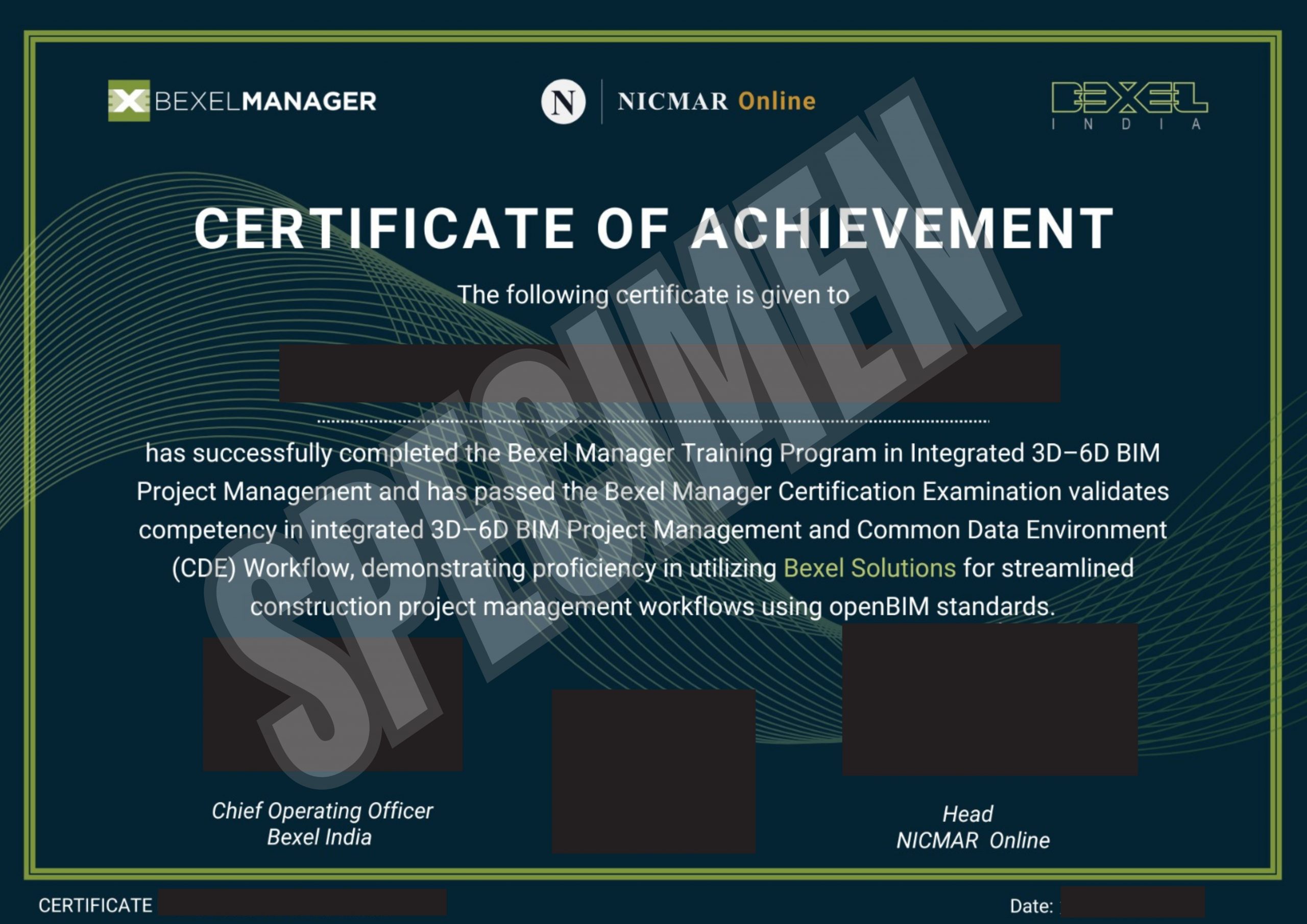
Earn Your BEXEL Manager Certificate
Successfully complete the BEXEL Manager training program and demonstrate your knowledge of integrated BIM workflows, project management, and digital construction practices.
Certificate of Achievement
Demonstrate your BEXEL Manager expertise
Showcase your digital construction capabilities
By clicking on Continue, I accept the Terms & Conditions,
Privacy Policy